App With 13 Data Types Passed App Store Review First Time (2026)
- Six Gaps I Fixed to Pass the App Store on the First Try
- The Strava Story: How Much Can One Run Record Tell?
- How Are 200 Meters Cut Off?
- Turning Off Route Sharing: Hiding It in the Query Too
- Location: Measuring, Showing and Sharing
- The Run Keeps Going While the Phone Is in My Pocket
- Same Job on Android, Different Permission
- The Permission Text Must Say What the App Does
- We Collected Data, but Our Privacy Label Didn't Say So
- The Club Chat Also Needs a Way to Report
- What Is Left After You Delete Your Account?
- Why Couldn't the Reviewer See Anyone on the Map?
- Google Play: Twelve People, Fourteen Days
- The Run That Started at 9:39
- Permissions in the Manifest With No Reason
- Play Console's Suggestions
- After Approval, the Same Files
- How to Measure Being Ready
Contents
- Six Gaps I Fixed to Pass the App Store on the First Try
- The Strava Story: How Much Can One Run Record Tell?
- How Are 200 Meters Cut Off?
- Turning Off Route Sharing: Hiding It in the Query Too
- Location: Measuring, Showing and Sharing
- The Run Keeps Going While the Phone Is in My Pocket
- Same Job on Android, Different Permission
- The Permission Text Must Say What the App Does
- We Collected Data, but Our Privacy Label Didn't Say So
- The Club Chat Also Needs a Way to Report
- What Is Left After You Delete Your Account?
- Why Couldn't the Reviewer See Anyone on the Map?
- Google Play: Twelve People, Fourteen Days
- The Run That Started at 9:39
- Permissions in the Manifest With No Reason
- Play Console's Suggestions
- After Approval, the Same Files
- How to Measure Being Ready
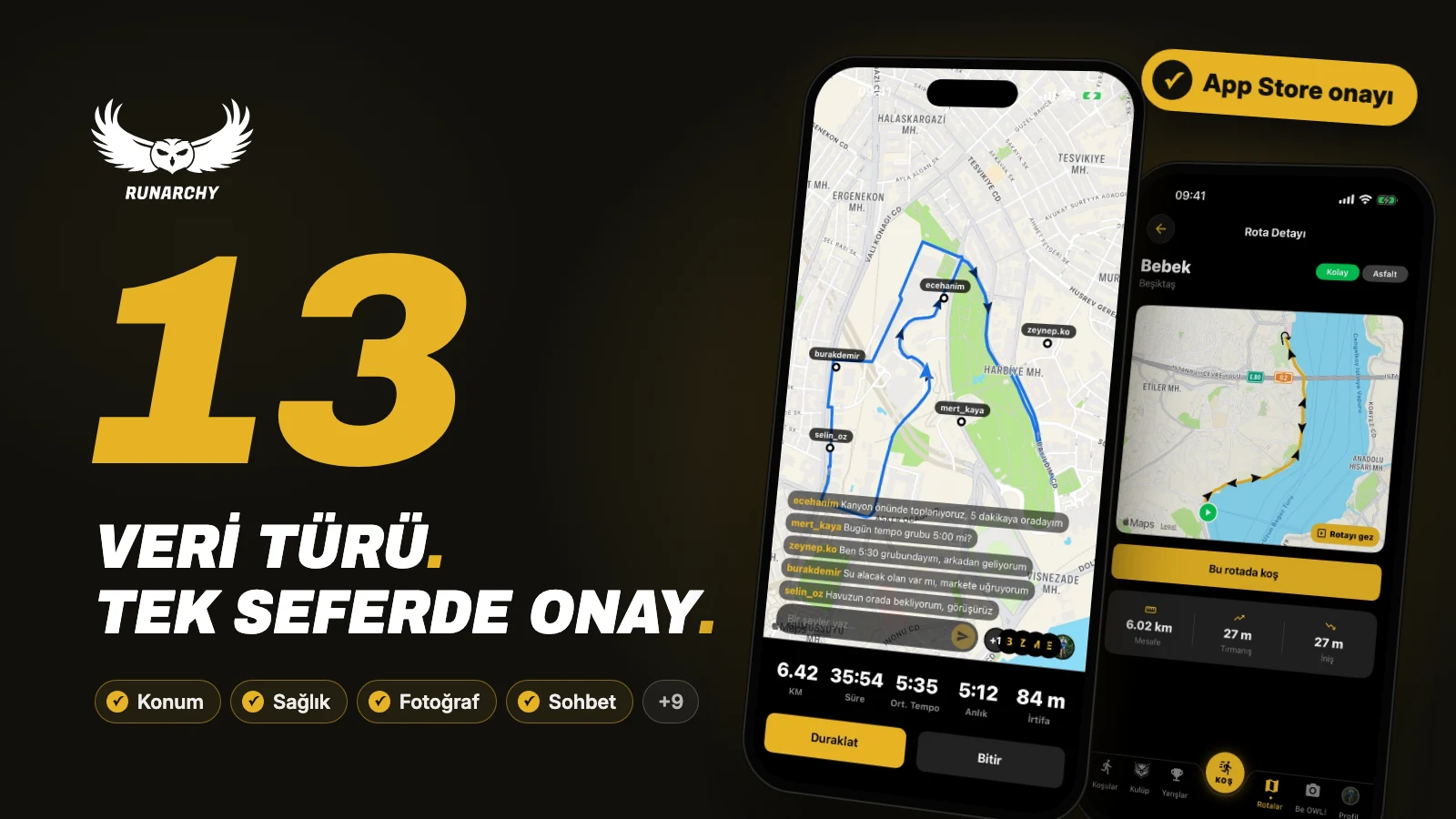
Image created by AI.
Runarchy uses your location, your health data, your photos and your chat messages. Its privacy label lists 13 types of data, and the app passed App Store review on the first try. Google Play was different: before the app could go live, it asked me to run a closed test for 14 days with at least 12 test users.
I am talking about an app that records your run while the phone is locked, saves a GPS route, shows the live location of members who choose to share it on a map, and has a club chat. Each of these was a separate decision that I had to explain in my submission.
You can read how the app started in the post about how I built Runarchy. This post is the technical notebook of getting it ready for the stores: location permissions, route privacy, the club chat and the problems I found in the closed test.
Let me say this first: I don't know what Apple looks at when it approves an app. I don't have the reviewer's internal notes. What I can tell you is which gaps I found before I sent the app, and how I fixed them.
Six Gaps I Fixed to Pass the App Store on the First Try
On August 12, I opened the App Review Guidelines page and checked the app rule by rule. Next to each rule, I wrote the same question: “Where is this in our app?” I found six gaps.
Problem | Guideline | What changed |
|---|---|---|
Location permission texts said nothing about sharing | 5.1.1(ii), 5.1.5 | The three |
The privacy manifest said “No data is collected.” | 5.1.1 |
|
There was no filter for user content | 1.2 | A word filter on the server, plus AI moderation in the chat |
There was no clear promise against harmful content | 1.2 | Community Rules were added to the terms of use; users must accept them when they sign up |
The report menu opened only with a long press | 1.2 | A simple tap on a message also opens the menu |
The privacy notice did not mention live location or automatic checks | 5.1.1(i), 5.1.2(i) | The notice was updated; current members accept the new version once |
Some rules caused no problems. You log in with an email or a username and a password. I don't use any third-party login, so under rule 4.8 I didn't have to add Sign in with Apple. Account deletion was already inside the app (5.1.1(v)). Background location was directly tied to run tracking (2.5.4). People who didn't give location permission could still look at the race calendar; of course, recording a run with GPS needed location permission. You could also browse the calendar without logging in.
Half of the problems were missing parts in the club chat. In the other half, the app did one thing and its privacy statement said something else.
Your privacy statement is part of your code. When the code changes, the statement changes too.
The Strava Story: How Much Can One Run Record Tell?
In January 2018, Strava's heat map was in the news for a reason that sports apps were not used to. The map put together the activities of its users, and it showed clear paths around and inside military bases in Afghanistan and Syria. The run records gave information about the layout of the bases and the daily movement there. A news story from that time explains how known bases could be seen on the map.
This example matters for a running club too. A route that starts in front of the same building every evening can show your home address over time. It can also show what time you go out in the morning, which roads you use and where you stop.
Today, after you upload your first activity, Strava hides the first and last 200 meters of your next activities by default. Users can change this, and they can also hide the area around a certain address or the whole map. It wouldn't be right to say that all these features came directly from the 2018 story; privacy zones existed then too. The current map visibility options are explained on a separate page.
How Are 200 Meters Cut Off?
In Runarchy, when you look at another member's shared run, you will see that at least 200 meters are cut from each end of the route on the map. On your own run, you see the full route.
I don't cut by the number of points or by time. I add up the distance between GPS points from the start; the first point where the total reaches or passes 200 meters becomes the new start of the route. Then I do the same thing backwards from the end.
export const trimEndsByMeters = (
  points: LatLng[],
  meters: number,
): LatLng[] => {
  if (points.length < 2 || meters <= 0) return points
  let startIdx = 0
  let acc = 0
  for (let i = 1; i < points.length; i++) {
    const prev = points[i - 1]
    const curr = points[i]
    if (!prev || !curr) continue
    acc += haversineMeters(prev, curr)
    if (acc >= meters) {
      startIdx = i
      break
    }
    startIdx = i
  }
  if (acc < meters) return []
  let endIdx = points.length - 1
  acc = 0
  for (let i = points.length - 2; i >= 0; i--) {
    const next = points[i + 1]
    const curr = points[i]
    if (!next || !curr) continue
    acc += haversineMeters(curr, next)
    if (acc >= meters) {
      endIdx = i
      break
    }
    endIdx = i
  }
  if (endIdx - startIdx < 1) return []
  return points.slice(startIdx, endIdx + 1)
}
On the member run screen, using it takes one line:
const coords = trimEndsByMeters(decodePolyline(run.route_polyline), 200)Three things about this function are important:
A short run's map is not drawn at all. If the route is shorter than 200 meters, or if nothing is left in the middle after cutting both ends, the function returns an empty list. If someone walks 300 meters from their door, their route could still show their address, even if only the start is cut.
The cut is at least 200 meters along the recorded line. I ask for location updates every 5 meters, but this doesn't mean the points will come exactly 5 meters apart. The cut happens at one of the existing points, so the hidden part can be a little more than 200 meters.
Distance and pace stay the same. Only the line is cut. If the run is 8.4 km, the screen still says 8.4; the line on the map gets at least 400 meters shorter in total, from both ends.
This also has two limits.
First, the distance is counted along the road, not in a straight line. If you start your run by going around your own street, 200 meters of road will not take you 200 meters away from your door.
Second, the cutting happens on the phone, while the map is drawn. For a member who shares their routes, the full route comes from the server to the app. This stops the start and the end from being shown directly on the map; it is not an access control that hides the full route from the app. Strava also says in its own explanation that the hidden location can be guessed from the rest of the information.
Turning Off Route Sharing: Hiding It in the Query Too
In Settings, there is a switch: “Show my routes to members.” When you turn it off, the query that returns member runs gives NULL in the route_polyline field instead of the route. Here is that part of the query:
select ur.id, ur.title, ur.run_date, ur.distance_km, ur.duration_secs,
       case when p.share_routes then ur.route_polyline end as route_polyline,
       ((ur.route_polyline is not null or ur.route_archived)
         and ur.edited_at is null) as gps_verified
from user_runs ur
join profiles p on p.id = ur.user_id
The case when line does the job: if route sharing is off, there are no route coordinates in the answer of this query. Distance and pace are still visible.
gps_verified is calculated separately. The badge that shows a run was recorded with GPS checks two things: that a route was recorded, and that the distance or time was not changed later. If the badge also disappeared when the route was hidden, the run of a member who protects their privacy would look like it was entered by hand.
When I read another member's profile, I also don't send a query from the app directly to the profiles table. That table also has the email address. Row Level Security (RLS) alone doesn't hide the email column inside the same row. This query runs inside a database function that returns only the columns I choose and is closed to users who are not logged in.
Location: Measuring, Showing and Sharing
In Runarchy, there isn't one single on/off button for location. That's because users do three different things:
Use | What it means in Runarchy |
|---|---|
Measuring the run | GPS is used to calculate distance, pace and route. |
Showing a saved route | The map of a run on your profile is shown to other members based on your route sharing setting. It is on by default. |
Showing where you are right now | Live location sharing is turned on separately; it is off by default. |
If I want to record my run, it doesn't mean I want to show everyone in the club where I am right now. That's why we ask about live sharing separately. You can say “Later”, and you can also change your choice in Settings. A member who keeps sharing off can still see other runners on the map; you don't have to be seen to see others.
The live location table is this small:
create table live_positions (
  user_id     uuid primary key references profiles on delete cascade,
  lat         double precision not null,
  lng         double precision not null,
  heading     double precision,
  distance_km numeric,
  updated_at  timestamptz not null default now()
);
The primary key is the user_id field, which identifies the user. There is one row per person; while sharing is on, the app tries to update that row every 5 seconds. This table doesn't keep a history of live locations. The run's route is a different thing: the coordinates stay on the phone during the run and go to the server with the summary when the run ends.
Only the owner can write to the row, and only the owner can read it. Other people's locations go through one single function. The conditions that decide who appears in the result are in the where part of that function:
where lp.updated_at > now() - make_interval(secs => greatest(p_max_age_secs, 1))
  and p.share_live_location
  and p.deleted_at is null
  and lp.user_id <> auth.uid()
  and not exists (
    select 1 from user_blocks b
    where b.blocker_id = auth.uid() and b.blocked_id = lp.user_id
  )
  and not exists (
    select 1 from user_blocks b
    where b.blocker_id = lp.user_id and b.blocked_id = auth.uid()
  )
Freshness. The app calls this query with a 120-second freshness limit; locations older than 2 minutes are not returned.
The setting is checked at read time. When the choice to turn off sharing is saved on the server, an old location row may still be in the table, but it is not returned in the next queries. Other phones' maps update on their next successful refresh.
Deleted accounts are not returned.
Blocking works both ways. If you block someone, you don't see them, and they don't see you. I didn't want you to hide the messages of someone who bothers you while they can still see your location.
When sharing stops, the app sends a request to delete the row. If the request fails because of the network, the freshness filter keeps points older than 2 minutes out of the app's normal query. This filter doesn't delete the row in the database; also, the time limit comes to the query as a parameter. It is not the same as a fixed storage limit on the server.
I also learned about a Supabase trap here. You can use the app without logging in, so some read functions are open to the anonymous role. If the anon role has a direct EXECUTE permission, writing only revoke ... from public doesn't remove it. In the project's live location and SOS functions, I also clearly took back the permission of the anon role, and I made chat reading available only to logged-in members. The function privileges document explains this difference.
We don't show the last seen point as “here right now” forever.
The Run Keeps Going While the Phone Is in My Pocket
We know where run recording is used: the phone is usually in a pocket, the screen is locked and the app is in the background. If you also stop measuring when the screen turns off, a runner may end up with only a few minutes of record from a forty-minute workout.
On iOS, I use the background location mode, and the recording flow asks for Always permission:
const auth = await Geolocation.requestAuthorization('always')
if (auth !== 'granted') return 'denied'
Apple explains that, with the right setup, location updates started with When In Use permission can continue in the background, and it suggests choosing this permission when possible. The authorization document explains the difference.
I stayed with Always because I didn't want recordings to stop halfway. But asking for a wider permission doesn't, by itself, give you a recording without breaks. And a phone in a pocket with a locked screen is not, by itself, a reason for this permission.
In the review note, I described run recordings that start when you press Start and usually last 30 to 120 minutes. The scope has to be correct here: the run route is collected during the recording, but if a member turns on sharing, the live map can use location before the run starts, while they warm up. Saying “Location is used only during a run” doesn't describe the whole app correctly.
There are two more small decisions in the code. The UIBackgroundModes list has only location; I removed the fetch mode because we didn't use it. With Always permission, iOS's background location indicator is optional; I left it on (showsBackgroundLocationIndicator: true). When the app gets location in the background, I want the user to see it on the screen.
Same Job on Android, Different Permission
On Android, I never ask for the “Allow all the time” option. These are the related lines in the manifest:
<uses-permission android:name="android.permission.ACCESS_FINE_LOCATION"/>
<uses-permission android:name="android.permission.FOREGROUND_SERVICE"/>
<uses-permission android:name="android.permission.FOREGROUND_SERVICE_LOCATION"/>
<uses-permission android:name="android.permission.ACCESS_BACKGROUND_LOCATION" tools:node="remove"/>
The last line doesn't ask for the permission; it removes it from the merged manifest. Even if a library adds this permission in its own manifest, tools:node="remove" takes it out when the manifests are merged.
A run starts when the app is on the screen and the user presses Start. At that moment, a location-type foreground service starts, the text “Recording your run” appears in the notification bar, and the service keeps running after the screen locks.
Location.startLocationUpdatesAsync(RUN_LOCATION_TASK, {
  accuracy: Location.Accuracy.BestForNavigation,
  distanceInterval: 5,
  pausesUpdatesAutomatically: false,
  foregroundService: {
    notificationTitle: i18n.t('liveRun.foregroundTitle'),
    notificationBody: i18n.t('liveRun.foregroundBody'),
    notificationColor: colors.accent,
  },
})
When this kind of foreground service is started while the app is visible, Android still treats getting location as foreground location access, even after the screen is locked. So for a run started by the user, I don't ask for ACCESS_BACKGROUND_LOCATION. Starting a new location service while the app is not visible has other limits.
Removing the permission from the manifest doesn't mean you are free from all of Google Play's location policies. Google also checks how you use the foreground service; if your use is the same as constant background location, it can apply the background location rules.
You don't have to defend a permission you don't ask for.
The foreground service has its own declaration too. For apps that target Android 14 and above, Play Console asked me to explain the purpose for each service type and to send a video. What the video needs to show is simple: the user starts it, a notification appears, and recording continues while the app is in the background.
An emulator can't run. I wrote a small script that sent the coordinates of a route in Maçka to the emulator every 3 seconds, and I recorded the screen. I ran the “run” I sent to Play without leaving my desk.
This flow also had a timing bug. When the permission window opens, Android sees the app as in the background for a moment. If I tried to start the foreground service at exactly that moment, the system refused it. Now, if starting fails on the first try, the app waits 1.2 seconds and tries again. If the second try also fails, the run doesn't start and the user sees this; the app doesn't quietly start a recording without GPS.
The Permission Text Must Say What the App Does
Apple's guide for permission texts asks you to describe the real use. A sentence like “Location is needed for a better experience” doesn't really help people understand what they are allowing.
Our texts changed three times before we sent the app. Each time, the reason was the same: the text didn't say exactly what the code did.
The first texts talked about measuring distance and route; there was nothing about location being shared with others. I added that the user turns sharing on, who can see it and where they can turn it off.
The next day, I rewrote the Always text to describe running with a locked screen and the recording continuing during the whole run.
One day later, I found the third mismatch. All three texts said “only while you run.” But the live map also works before you start a run; people can see each other while they warm up. The app did more than the text said. I added warming up to the text.
There was also a language problem. The project's development language was set to English, but the permission texts in Info.plist were in Turkish; someone with an English phone saw Turkish text in the permission window. I added InfoPlist.strings files under en.lproj and tr.lproj for the two languages. Now the pre-release check script stops the release if these keys are missing in the English file.
We Collected Data, but Our Privacy Label Didn't Say So
One of the clearest mistakes I caught while getting ready was in the privacy file. The app used profile, location and run data, but the privacy manifest file said no data was collected.
When you fill in the privacy label for a running app, it is easy to think only about GPS. But the list doesn't end with GPS. Also, it doesn't matter if your own code sends the data or an SDK you use sends it; you are still responsible. Apple's App Privacy page includes data use by third parties in this list too.
I updated the manifest to cover 13 types of data:
# | Group | Declared type | Purpose |
|---|---|---|---|
1 | Contact Info | Email Address | App Functionality |
2 | Name | App Functionality | |
3 | Other Contact Info (Instagram username) | App Functionality | |
4 | Location | Precise Location | App Functionality |
5 | Health and Fitness | Health (weight) | App Functionality |
6 | Fitness (distance, pace, steps) | App Functionality | |
7 | User Content | Photos or Videos | App Functionality |
8 | Other User Content (chat, run notes) | App Functionality | |
9 | Identifiers | User ID | App Functionality, Analytics |
10 | Device ID | App Functionality | |
11 | Usage Data | Product Interaction | Analytics |
12 | Diagnostics | Crash Data | App Functionality |
13 | Performance Data | App Functionality |
In the manifest, I declared that all these types are linked to the user's identity, and that none of them are used for tracking.
Don't mix up the word “tracking” here with run tracking. In Apple's privacy labels, tracking means things like linking user data from your app with data from other companies' apps and websites for targeted ads or ad measurement. Measuring a run with GPS is not tracking in this sense. But you still have to declare that you collect location. Apple's data use definitions explain the difference.
To match this, I also removed access to the advertising ID on both platforms. On iOS, I switched to the version of Firebase Analytics without advertising ID support; AdSupport is no longer linked to the app. On Android, I removed the AD_ID and AdServices permissions from the manifest.
The manifest also has a section for APIs that need a reason. You declare a reason code separately for file timestamps, UserDefaults, disk space and system boot time. React Native and libraries can use these too. The manifests of the app and the SDKs are checked together; every reason code must match the real use.
There are two more jobs that look alike: the PrivacyInfo.xcprivacy file inside the app, and the App Privacy fields you fill in on App Store Connect. The manifest describes data use inside the app package and the reasons for some APIs; you manage the privacy label on the store page separately. Fixing the manifest doesn't update the Connect form by itself. The two must match. That's why I wrote, one by one, the data types to select in Connect into my submission file. The privacy manifest document gives the details.
Google Play has a third copy of the same list: the Data safety form. The categories are different, but the question is the same.
The Club Chat Also Needs a Way to Report
I was building a club app where people who know each other from runs chat together. Still, anywhere people can write messages, there is a chance of insults, harassment and unwanted content. Someone being my friend doesn't mean other members have to put up with their messages.
Apple's rule 1.2 about user content asks for four things: filtering, reporting, blocking and contact information that people can reach. In Runarchy, I built these together.
The first layer is in the database, a trigger that runs before a message is saved:
new.body := btrim(new.body);
if length(new.body) = 0 or length(new.body) > 200 then
  raise exception 'chat_body_length';
end if;

if public.contains_banned_term(new.body) then
  raise exception 'chat_blocked_term';
end if;
A message with a banned word is never saved. The check doesn't happen on the phone, so someone who changes the app can't get past it. The same function also checks usernames, run titles and run notes.
Matching works in three modes: whole word, start of a word, and anywhere in the text. The third mode removes everything that is not a letter before comparing, so a swear word written with dots between the letters is caught. Turkish letters are also changed to simple letters, with one exception: “ı” is not treated as “i” on purpose. I explained why in the first post: runners need to be able to write “Sık sık koşuyorum.” (“I run often.”). A similar clash came up with English: after this change, a Turkish insult becomes the same as the English word “got”. I moved that line to whole-word matching only.
The list is in a table. To add a new word, one row is enough; you don't need to release a new version.
A word list can never be complete. The second layer is AI moderation, and it works in the background. After the message is saved, a second trigger calls a server function from inside the database. The function sends the text to OpenAI's moderation endpoint and looks at the scores it gets back. If a score is over the limit, it deletes the message; when the delete event reaches the connected phones through live updates, the message disappears from their screens.
Until the check is finished, people can see the message; this is not an AI approval given before the message is published.
I don't use the model's own “flag” decision; I apply my own limits to the category scores:
const THRESHOLDS: Record<string, number> = {
  "sexual": 0.6,
  "sexual/minors": 0.2,
  "hate": 0.5,
  "hate/threatening": 0.4,
  "harassment": 0.5,
  "harassment/threatening": 0.4,
  "violence": 0.7,
  "violence/graphic": 0.6,
  "illicit": 0.7,
  "illicit/violent": 0.6,
}
In my tests, the message “Öldüm bugün, bacaklarım gitti.” (“I died today, my legs are gone.”) got 0.40 in the violence category, and “Tam katliamdı.” (“It was a total massacre.”) got 0.43; the model flagged both. A clear threat got 0.94. After these tests, I chose 0.7 as the violence limit. These are the scores of the examples from that day; they are not a success rate measured for all messages. I didn't include the self-harm category in automatic deletion, because it wrongly marked normal after-run phrases as self-harm.
If the outside service doesn't answer, the chat doesn't stop. In that case, the first layer and the report button are still there. I didn't want to close the club chat just because moderation wasn't working.
People need a way to ask for help when the filter misses something. You can open the report and block menu by tapping a message. Before, this menu opened only with a long press. A report button doesn't help you much if you don't know it exists.
Reports go to the admin screen; from there, they can be marked as reviewed and closed. A blocked member doesn't appear in the chat or on the live map, and is not counted in the run's number of participants.
Adding AI also meant I needed a new explanation in the privacy text. I added automatic content checks and data transfer to technical service providers to the privacy notice. The community rules also became part of the terms of use. Adding a paragraph is not enough here: Apple's rule 5.1.2(i) asks you to clearly say where personal data will be sent, including third-party AI, and to get clear permission before you send it. I can't count a general document approval as proof that this rule is met.
It wasn't enough for only new users to see this change. The version of the text is a constant in the code, and each member's profile stores the last version they accepted. If the two don't match, the app shows a full-screen consent window when it opens:
const visible =
  !!user && !!profile && !profile.deleted_at && consentNeedsUpdate(profile)
The window doesn't close with the back button. When I update the constant, members who accepted the old version see the new text the next time they open the app. The privacy notice is now in its fourth version.
What Is Left After You Delete Your Account?
Account deletion is in the app under Profile > Settings. Users can start it inside the app without writing a support email. Apple's account deletion guide asks for this in apps where you can create an account; just turning off the account is not enough.
The detail I noticed while getting ready was the chat records. When a message is saved, the username and avatar are also copied into the message row. Cleaning the profile didn't change this information on old messages by itself.
Today, deletion is done with one database function. A short version:
update profiles set
  username = 'del_' || left(md5(id::text), 12),
  email = anon_email,
  first_name = null,
  last_name = null,
  city = null,
  instagram = null,
  avatar_url = null,
  fcm_token = null,
  share_live_location = false,
  deleted_at = now()
where id = uid;

update user_runs set
  title = null,
  notes = null,
  route_polyline = null
where user_id = uid;

delete from run_chat_messages where user_id = uid;
delete from live_positions where user_id = uid;
delete from user_blocks where blocker_id = uid;

update auth.users set
  email = anon_email,
  encrypted_password = ''
where id = uid;

delete from auth.identities where user_id = uid;
delete from auth.refresh_tokens where user_id = uid::text;
delete from auth.sessions where user_id = uid;
The distance and time of runs stay; the title, notes and route are removed. The login records are deleted, so no one can log in with that account again; a new account can be created with the same email.
I don't delete the row itself; the number of participants in the club's past runs depends on those rows. Fields like name, email, avatar and route are cleaned, but the run numbers stay. This doesn't mean all the data becomes anonymous forever. For example, the current function doesn't clean the weight_kg field of the profile. So I can't show this flow as a complete example of deleting personal data.
This flow also had a bug. When you pressed the delete button, the loading circle turned for minutes. The network was fast, and the database function finished in less than 1 millisecond.
The cause was in the client library. The function was deleting the session records of the user who called it. At that exact moment, the library's session refresher, which runs in the background, tried to refresh a dead key and was holding the session lock. The logout call after it waited for the same lock forever.
The fix was to stop automatic refresh before the destructive action, and to add a timeout to both the server call and the logout. This way, the app doesn't wait forever. But when there is a timeout, closing the local session doesn't prove that the cleanup on the server is finished; a stuck screen and a finished deletion are two different things.
I improved the file storage side later. Fixes like cleaning avatar and gallery files, and trying the delete again after a temporary error, are in later commits. I don't squeeze them into the same story as if they were done before the first submission. Account deletion became one of the parts I kept working on after the approval too.
Google Play has one more rule: someone who has removed the app must also be able to ask for their account to be deleted. So next to the path inside the app, you also need to give Play Console a web link where people can ask for deletion.
Why Couldn't the Reviewer See Anyone on the Map?
While I was writing the review notes, there was one thing I had to explain: a person who opens the app on a single phone might not see anyone on the live map.
To see someone on the map, that member must turn on sharing and be on the live run screen at that moment. I can't expect my club friends in Istanbul to open the app at the exact moment Apple's review starts. In this case, an empty map was the expected result.
I wrote this clearly in the submission note. This is the related sentence from the note:
Because this only shows people who are on that screen right now, the map will look empty on a single test device — this is expected, not a bug.
In the note, I explained how to get to the live screen, that you don't need to actually run to open it, the report and block menus, and where account deletion is. To test moderation, I suggested sending a message with a swear word: a message caught by the word filter is not saved; deletion in the second layer depends on the outside service working and on the category limits.
The app also has a separate area that only club admins can see. This area, where Yasin posts runs and routes and sees user reports, doesn't appear on a normal member account. In the review note, I explained the difference between the roles and what the admin screen does; I didn't want it to look like a hidden or undocumented feature. In my note, I described the normal member demo account and said I could give an admin account if needed. If I did it today, I would follow Apple's guide for complete review information and give access for the different roles from the start.
The demo account's password is also not something to keep in the source code. The submission file says which field the login details go into; the real details are in the review section of App Store Connect.
Google Play: Twelve People, Fourteen Days
My developer account on Google Play is a personal one. For personal accounts opened after November 13, 2023, before you can release an app to production, at least 12 testers must stay in a closed test for 14 days in a row. Organization accounts don't have this rule. Runarchy is a running club, not a company; we don't have the documents needed to open an organization account.
I created the app in Play Console on September 24.
This time, instead of a run announcement, I sent a test link to the club group. Adding emails to the tester list was not enough; at least 12 people had to join the test from the link and stay in it for 14 days. My friends installed the app from Play and ran with it on Tuesday evening.
When the 14 days are over, the app doesn't go live by itself. You need to apply separately for production access. In the application, you describe how the testers took part, their feedback and the fixes you made. Google also checks whether your testing was enough.
The first problem was distance. A few friends' runs were recorded at almost twice the real distance. Android was giving the app the location batches it had saved in the background a second time, and I was counting the same road twice. This is the main check in the fix:
const isReplayedOrStaleFix = (
  last: Coordinate | undefined,
  point: Coordinate,
): boolean => last != null && point.timestamp <= last.timestamp
If the new point's timestamp is not later than the last point's, that point is ignored. The real cause of the bug was even smaller: the old code checked speed only if the time between points was positive. With the copied batches, the time was negative, so the check was skipped and the point was added to the distance.
The Run That Started at 9:39
In a running app, the most expensive bug is a run that stops halfway. There is no second try; nobody will run the same 15 kilometers again for you.
I saw the clearest example two days after launch, on the morning of the Istanbul Marathon. A friend from the club ran the 15K. This was the record in the app: 0.02 kilometers, 1 hour 32 minutes.
I didn't have the phone. What I had was the log of requests that came to the server. This is the timeline I made from those requests:
09:39:31  run started
09:39:34  live location row deleted (app went to the background)
          92 minutes: no new live location reached the server
11:11:45  app opened from scratch, run continued where it stopped
11:11:56  silence again
11:55     saved from the recovery screen: 0.02 km, 1:32:31
3 seconds after Start was pressed, the app went to the background. An hour and a half later, there was a series of requests that suggested it opened again and continued the recording. These records alone didn't show what happened to the location data in between. The time looks like an hour and a half because, when I continue a recovered recording, I also count the time in between. This doesn't bring back the distance from that time. The distance is 20 meters.
There is no polite way to show 20 meters to someone who ran for an hour and a half.
These server logs didn't have the phone's brand or model. I suspected battery management, but I couldn't confirm from the logs what happened on which device.
I had a similar break months ago on my own phone, with MIUI; that's the kilometer-eight story in the first post. Android's official way is a foreground service and a notification that stays. We have both. Still, the battery management of some phone makers can close the app, and I can't stop this from the code; you need to add the app as an exception in the phone's settings.
For what I can't stop, there is a second plan; the details are in the first post. Every 8 seconds, the app saves the current state of the run to the phone, and when it opens again, it continues where it stopped. But the distance run while the app was closed is not measured. I fixed that morning's record by hand, using the data from my friend's own watch.
Two more ways to lose a run came up. Neither was the operating system's fault.
The first was the countdown. When you pressed Start, the screen counted 3-2-1, and recording started when the count ended. The counter was a JavaScript timer. If someone locked the phone and put it in their pocket during the countdown, the timer stopped and the run never started. Now GPS and background tracking start the moment you press the button; the 3-2-1 is just a display that follows the clock.
The second was two buttons. After pressing Finish, you also had to press Save. A friend pressed Finish during a Tuesday run, closed the app and lost the run. Today, pressing Finish saves the run. If saving fails at that moment, the run waits on the phone and is sent automatically the next time the app opens.
Asking the user a second time for something they already told you is the shortest way to lose data.
Permissions in the Manifest With No Reason
On Android, the manifest that goes into the package is a mix of my file and the manifests of the libraries. While getting ready for the store, I read the permission list one by one and found permissions that no feature used.
Besides background location and the advertising ID, there were other permissions we didn't need. The microphone permission came from the camera library; the app doesn't record sound. Permissions to read audio and video files were in the manifest, but no screen needed them. The permission to draw over other apps is only useful in the development build; I left it in the debug manifest. I removed the rest with tools:node="remove". I also turned off app data backup (allowBackup="false").
When I update a library, one of these permissions can quietly come back. That's why the rule lives in a script and is part of the pre-release check:
const BANNED_PERMISSIONS = [
  'ACCESS_BACKGROUND_LOCATION',
  'SYSTEM_ALERT_WINDOW',
  'READ_MEDIA_AUDIO',
  'READ_MEDIA_VIDEO',
  'AD_ID',
]
for (const perm of BANNED_PERMISSIONS) {
  const declared = new RegExp(
    `uses-permission[^>]*${perm}"(?![^>]*tools:node="remove")`,
  ).test(manifest)
  if (declared) fail.push(`manifest'te gerekçesiz izin: ${perm}`)
}
The same script also checks the target SDK version, the release signing setup, and whether the build number is the same in four different places. If any of these checks fails, the release script stops.
Cutting permissions also had a cost. When I limited the storage permission to old Android versions, I set the limit too low. Saving a photo to the gallery started to fail on phones with Android 10, 11 and 12; the library needed write permission on those versions, but the manifest didn't ask for it at all. I raised the limit to Android 12. Android 13 and later were not affected.
Play Console's Suggestions
Play Console's suggestions for making the package smaller also created extra testing work.
The first was code shrinking. The console reminded me that the package was not obfuscated. I turned on R8. The app opened, the run started, everything worked. Then I saw this in logcat: ClassNotFoundException: RNHeadlessAppLoader.
This class is one of the parts that load the JavaScript environment for a background task without opening the screen. The class name is written as text in the manifest, and the code loads it with Class.forName. When R8 didn't keep this indirect use, the app couldn't find the class by its name. Starting a run while the app was open was not enough to test this path. I added two lines of rules:
-keep class * implements expo.modules.interfaces.taskManager.TaskConsumerInterface { *; }
-keep class * implements expo.modules.apploader.HeadlessAppLoader { <init>(...); }
The second step was resource shrinking. While trying it, two days before launch, I also turned on R8's more aggressive optimization profile. The package was built, signed and installed on the emulator, but the app crashed on launch: while merging classes, R8 had changed a class in the location service so that the verifier rejected it. I turned the profile back off. Resource shrinking stayed on; it didn't cause problems.
What caught the bug was installing and opening the release package on an emulator before uploading it. A successful build doesn't mean the app opens.
The third was not a suggestion, it was an error: Play said the package didn't support 16 KB memory page size. The problem wasn't in my code; React Native's prebuilt libraries came with the old alignment, and the fix was in a newer React Native version.
Six days before launch, I upgraded the Expo SDK by two versions at once.
In this project, I maintain the ios/ and android/ folders by hand. Expo's prebuild --clean command deletes these folders and creates them again, and native changes that were not moved into config plugins are lost. I copied the project to a temporary folder, ran the command there, compared the new files with the ones in the repo and moved the differences over. I didn't switch to the New Architecture; I kept the current GPS integration.
To make the package smaller, I had included only arm64 libraries. On an x86_64 emulator, the app crashed on launch; the JavaScript engine's library for that architecture was not in the package. The AAB now has all three architectures; Play creates the right APKs for each device, so not every phone gets all three.
My map key is restricted by signing fingerprint. In my own build, the map worked; in the package signed with the upload key, it was completely empty. There was one line in logcat: Authorization failure. Play also signs the APKs it delivers with its own app signing key. In my test and release flow, I had to add the fingerprints of three certificates: debug, the upload certificate of the release package I installed directly, and Play's app signing certificate. For the version downloaded from Play, the last one is the one that matters.
In the store's content and age rating forms, I also described what the app really does. Can users talk to each other? Yes. Is location shared with other users? Yes. Are there blocking, reporting and content checks? Yes. For the target age group, I chose only 18 and over.
After Approval, the Same Files
Approval is given to a version as it is on that day. The app keeps changing.
In the first submission, live location was shared only while the app was on the screen. The review note said this too. After launch, we saw what this meant: everyone put their phone in their pocket and ran, and nobody could see anybody on the map. The live map was empty at exactly the moment people needed it.
I changed the behavior. While a run is recording, sharing now continues in the background; when you pause, and outside a run, the screen still has to be on.
After preparing the version, I noticed something: the permission text still said “Sharing stops when you leave the screen.” A small change in behavior touched seven files: Info.plist, app.json, the Turkish and English InfoPlist.strings, the in-app explanations in both languages, and the privacy notice. I also raised the version of the privacy notice, so members who had accepted the old version were shown the new text again. I rebuilt the package and then sent it.
In November, in my own change, I caught again the thing I had learned in August. The permission text, the privacy manifest, the privacy notice and the store forms describe the same behavior for different purposes. When one changes, the others don't change by themselves.
How to Measure Being Ready
Finding twelve testers was hard work; the bugs we found while running together were more concrete than any store form could ask about. And Apple's approval on the first submission doesn't mean I can be less careful in the next versions.
For me, the best measure of being ready is this: when a member says, “I want to record my run, but I don't want to be seen on the map,” I can show them how to do it in the app. Having a place for this choice in the settings also fits the everyday relationships in a running club.
We run together; we don't need to know where everyone is all the time.