Mobile Push Notification with Vue.js and Quasar: Real Life Experience

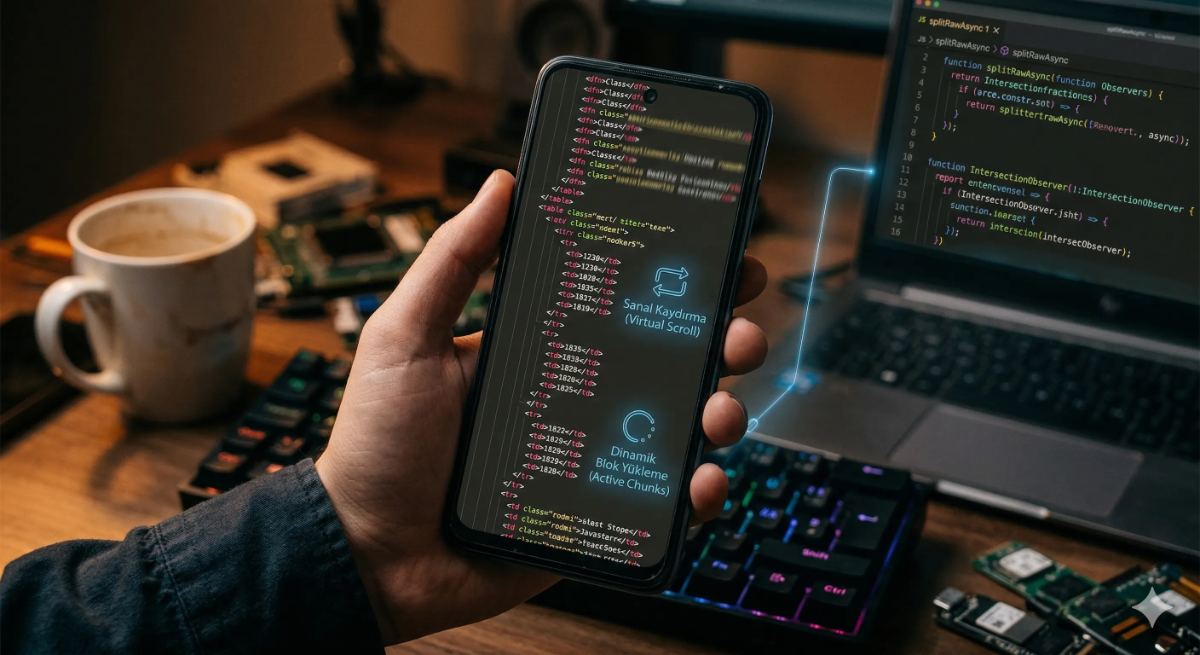
Photo by Christopher Gower on Unsplash
After my first article, which you can access via this link, I have been working with Quasar and Vue.js for a few weeks. At Lebib Yalkın Publishing, we are in the process of renewing the mobile application, which used to be written with Flutter, using Quasar and Vue.js technologies. As an Android Developer of years, the first thing I was asked to do was, of course, mobile push notification integration.
Using Vue.js, looking at the push notification details of Flutter & Dart code and rewriting it from scratch… This challenging journey that I entered without knowing any Vue.js or Flutter was one of the best challenges for someone like me who loves challenges. In this article, you will read how I failed in this process and wasted a ridiculous amount of time, and then how I realized that I was missing something in the documentation.
As you know, the process of integrating push notifications into mobile applications consists of several steps:
Obtaining the device’s operating system unique number (device identifier) and device information and transmitting it to the server in order to send device-specific notifications,
Creating a project in FCM for iOS, Android or web if using Firebase Cloud Messaging (FCM)
Registering the device in the project we opened in FCM,
Register the register token returned from the registration process on our own server
Preparing the code that will send notifications when requested by the backend
The steps look quite familiar and simple for developers, don’t they? Gather around, I have something to tell you.
How to Access the Android / iOS Identifier Value of a Device Using Quasar Vue.JS?
When I looked at the Quasar documentation, I realized that there was a small trick that was not mentioned anywhere, which gave me a hard time for days. I sweated my eyes out, thought I was going to be fired, got depressed and resentful, but then I recovered again.
First of all, this was not Quasar’s duty. So, what is Quasar’s duty, or even what is Quasar, let’s start there: It is an MIT-licensed, open-source Vue.js-based library that allows you as a web developer to quickly create websites and/or applications that are compatible with many different screen sizes.
Applications and/or websites you can create with Quasar technology:
SPAs (Single Page Application)
SSR (Server Side Rendered Application + optional PWA client inheritance)
PWAs (Progressive Web Application)
BEX (Browser Extension)
Mobile Apps (Android, iOS… via Cordova or Capacitor)
Multiplatform Desktop Applications (using Electron)
However Quasar’s motto is: “Write the code once and deploy it simultaneously as a website, mobile app and/or Electron app.” Yes, Quasar helps you build an app in record time using a single code base, and the best apps are powered by blazing fast Quasar web components.
“That’s all well and good, but Quasar cannot access the native features of the devices such as camera, location, device information…”
This is where Capacitor comes to the rescue.
“Capacitor is a cross-platform native runtime for deploying web applications to mobile devices. Developed byIonic, Capacitor is designed as a modern successor to Cordova.”

Photo by Yan Krukau on Pexels
Bottom line: Cordova and the Capacitor api built on top of it allowed us to communicate with native device properties. The process actually looks very simple when looking at the Quasar and Capacitor documentation.
Add Capacitor to project
quasar mode add capacitorAdd Capacitor’s Device API to the project
npm install @capacitor/devicePerform synchronization
npx cap syncWrite the required code
<template>
  <div>
    <div>Model: {{ model }}</div>
    <div>Manufacturer: {{ manufacturer }}</div>
  </div>
</template>

<script>
import { ref, onMounted } from 'vue'
import { Device } from '@capacitor/device'

export default {
  setup () {
    const model = ref('Please wait...')
    const manufacturer = ref('Please wait...')

    onMounted(() => {
      Device.getInfo().then(info => {
        model.value = info.model
        manufacturer.value = info.manufacturer
      })
    })

    return {
      model,
      manufacturer
    }
  }
}
</script>
Run…
quasar dev -m capacitor -T android“So, that didn’t work out?”
I struggled in this cycle for days, I deleted it, I redid it, it didn’t work. I deleted it, redid it in other ways by following other articles, again it didn’t work. I added Cordova, nothing. Some versions must be outdated in the current project; I thought I’d try it in the new, empty, updated project, but it didn’t work again…”
Look at the error I got:
Uncaught (in promise) Error: "Device" plugin is not implemented on android
    at createPluginMethod (runtime.js:86:23)
    at runtime.js:93:32
    at async logDeviceInfo (SearchMovie.vue:58:20)
Uncaught (in promise) Error: “Device” plugin is not implemented on Android.
What do you mean “Not implemented,” we added what the official document wants, what more!
I searched for hours on the internet for this error, however very few results came up. I couldn’t reach a proper conclusion from the results; I went crazy, I lost myself. I don’t know how many working days I wasted. After this time, no one should call me device id for a while, bro!

Image generated by ChatGPT, source and copyright belong to the author.
‘Device’ plugin is not implemented on Android error kept returning even in my dreams. For a moment I felt a tingling inside me and thought to myself, “I think I added it, but didn’t I?” I was missing something and it was definitely not written in the document. Then I had an idea: I was adding capacitor’s plugins or APIs only at the app level, should I add it separately for Android?
Thanks to my years of Androidism, I know that there should be a general configuration page. I looked at the ‘quasar.config.js’ file, but it was a more general configuration page. Actually the file I was looking for was the ‘package.lock’ file. As far as I could see, there were two files in the project and only one of them had dependencies related to the capacitor in the ‘dependencies’ section.
{
  "name": "com.alp.movie",
  "version": "0.0.1",
  "description": "A Movie App",
  "productName": "Movie App",
  "author": "AlparslanDev <alp.develioglu@gmail.com>",
  "scripts": {
    ...
  },
  "dependencies": {
    "@capacitor/android": "^5.7.0",
    "@capacitor/core": "^5.0.0",
    "@capacitor/device": "^5.0.7",
    "@capacitor/ios": "^5.7.0",
    "@quasar/extras": "^1.16.4",
    "axios": "^1.6.5",
    "install": "^0.13.0",
    "npm": "^10.4.0",
    "pinia": "^2.0.11",
    "quasar": "^2.8.0",
    "vue": "^3.2.29",
    "vue-i18n": "^9.0.0",
    "vue-router": "^4.0.12"
  }
}{
"name": "com.alp.movie",
"version": "0.0.1",
"description": "A Movie App",
"author": "AlparslanDev <alp.develioglu@gmail.com>",
"private": true,
"dependencies": {
"@capacitor/android": "^5.0.0",
"@capacitor/app": "^5.0.0",
"@capacitor/cli": "^5.0.0",
"@capacitor/core": "^5.0.0"
}
}Additionally I thought, ‘I wonder? Could it be? I looked at the file paths of both and saw “@capacitor/device”: “5.0.7” was in the general package.lock file of the project. The file without the line was in the src-capacitor/android file path. When our error was ‘Device’ plugin is not implemented on Android, I thought “I think I’ve got it”.
I can’t describe the excitement I felt at that moment: It was like the excitement I felt when my sister and brother-in-law came to pick me up on the evening of the last day of my military service, when the results of the YGS (the 2011 name of the university entrance exam), in which I ranked 30,000th, were announced, or when I was waiting for the last meters of the 63-kilometer Cappadocia Ultra (ultra trail run)… Anyway, I exaggerated a bit, I’ll get back to the subject:
I opened the src-capacitor/android file from the terminal with the cd command and ran the commands I mentioned above again:
npm install @capacitor/device
npx cap sync
Of course it happened. Success was mine once again.

Photo by Ryan Moreno on Unsplash
The documents I praised in the previous article let me down. No, you are missing something, if you wish you hadn’t gotten into this business without knowing this, let’s fight in the comments.
Since I can’t fit the whole push notification integration into a single post, I’m wrapping this one up for now. See you in the next posts.
My actual push notification article is live: Mobile Push Notification Integration with Firebase Using Vue.js and Quasar: A Detailed Guide
Love
Frequently Asked Questions
▸Can you use Quasar and Vue.js to build a mobile app with push notifications?
Yes. The author rebuilt a Flutter-based mobile app using Quasar and Vue.js, including full push notification support. Capacitor is used as the bridge to access native device features like FCM registration.
▸What is a common pitfall when implementing push notifications in Quasar Vue.js?
A major time sink was correctly retrieving the Android/iOS device identifier. The author missed something in the documentation that caused significant wasted time before the issue was resolved.
▸How do you get the Android or iOS device identifier in a Quasar Vue.js app?
The post highlights this as a key challenge and dedicates a section to it. The detailed method is covered in the author's full linked guide on Firebase push notification integration with Quasar.
▸Does this approach work for both Android and iOS?
Yes, the implementation targets both Android and iOS devices, as the app being rebuilt needed to support both platforms previously handled by Flutter.
▸What Firebase service is used for push notifications in this Quasar Vue.js setup?
Firebase Cloud Messaging (FCM) is used to handle push notification delivery. The FCM registration steps are part of the detailed guide linked from this post.
▸Is prior Vue.js experience required to follow this implementation?
Not necessarily — the author had no prior Vue.js or Flutter experience when starting this project. The articles are written from the perspective of someone learning on the job.